
Quick answer: CommScope makes ARRIS SURFboard cable gateways. Open 192.168.0.1 for Wi-Fi settings, or 192.168.100.1 for the modem status page. The default login is usually admin with the password password.
CommScope owns the ARRIS and SURFboard names you see on many cable modems. These devices connect over a coax cable, not a phone line. They have two web addresses worth knowing. Here are the 2026 steps.
Other gateways? See our Hitron, Technicolor, and Sagemcom login guides.
Two Addresses: Gateway vs Modem Status
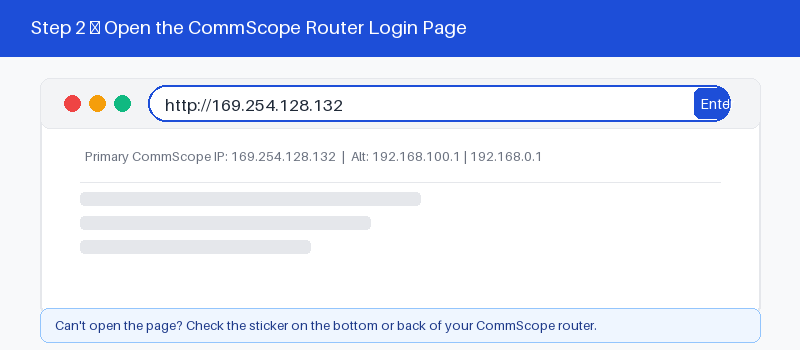
This is what makes CommScope different. A cable gateway has two pages. One controls your Wi-Fi and settings. The other shows the modem status, like signal levels and connection health.
CommScope gateways are cable devices, so they have two useful addresses. One opens your Wi-Fi settings, the other shows the modem status. This table explains when to use each address.
| Address | What it opens | When to use |
|---|---|---|
| 192.168.0.1 | Gateway and Wi-Fi settings page | Everyday login and changes |
| 192.168.100.1 | Cable modem status and signal page | Checking signal and errors |
| 10.0.0.1 | Some provider gateway login pages | If the first address fails |
| Label address | Printed on the sticker | Always the exact single source |
The 192.168.100.1 page works even when your internet is down, which helps when calling support.
Default Login: admin and password
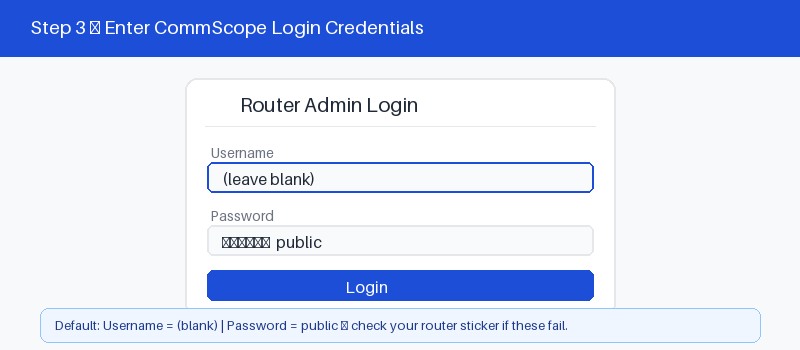
For most CommScope gateways, the username is admin. The password is password, though some units use admin instead. Providers may change this, so the label on the unit is the reliable backup.
The label lists the address, username, password, and the Wi-Fi name and key. If admin and password fail, read it carefully. Enter the details exactly, since they are case-sensitive.
Log In Step by Step
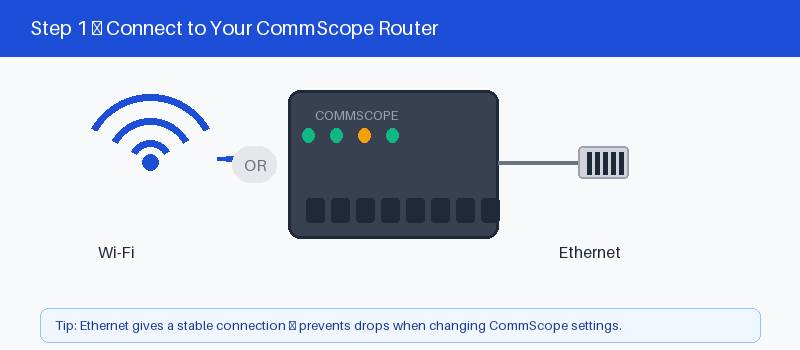
These four steps get you into the gateway.
- Connect to the CommScope by Wi-Fi or cable.
- Open a browser and type 192.168.0.1.
- Enter admin and the password.
- Select Log In to open settings.
Change Your Wi-Fi Name and Password
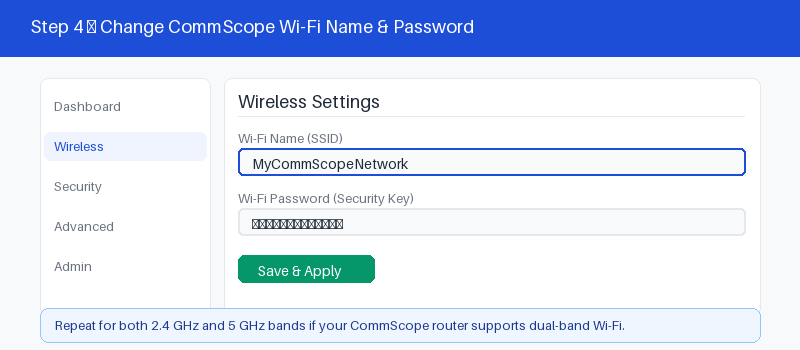
After login, updating your Wi-Fi is quick.
- Open the Wireless or Wi-Fi menu.
- Enter a new network name.
- Set a strong new password.
- Save and reconnect your devices.
If the Page Will Not Open
If 192.168.0.1 fails, the gateway may be in modem-only mode. Try 192.168.100.1 to reach the status page, which loads even without internet. Then work through these checks.
These four checks fix most cases.
- Confirm you are on the CommScope network.
- Try 192.168.0.1, then 192.168.100.1.
- Type the address in the bar, not search.
- Restart the gateway and wait a minute.
- 192.168.0.1 login guide
Reset a CommScope Gateway to Factory Settings
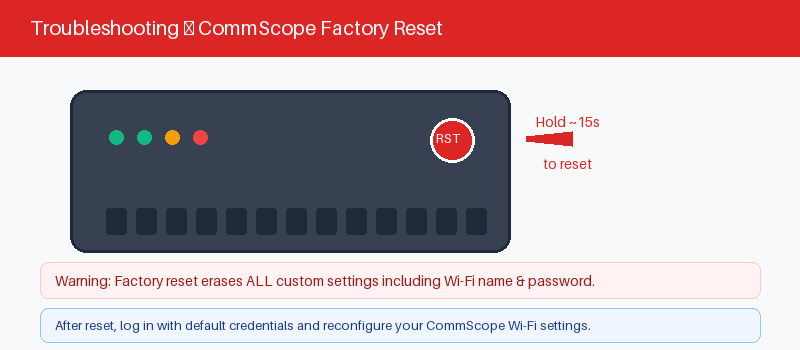
A reset returns the gateway to factory defaults and erases your Wi-Fi settings. On a cable unit, your internet should reconnect on its own. Hold the reset button for about fifteen seconds.
Follow these steps to reset it.
- Keep the gateway powered on.
- Press the reset hole with a pin.
- Hold about fifteen seconds until it restarts.
- Log in with admin and password.
Frequently Asked Questions
What is the default login for a CommScope gateway?
Most use admin as the username and password as the password. Some use admin and admin. The label on the unit lists the exact details, along with the Wi-Fi name and key.
What is the 192.168.100.1 page for?
That is the cable modem status page. It shows signal levels, connection state, and error logs. It loads even when your internet is down, which helps when you call support.
Is CommScope the same as ARRIS or SURFboard?
Yes. CommScope owns ARRIS, and SURFboard is the product name. A SURFboard modem or gateway is a CommScope device. The login steps here apply to all of them.
Why can I only reach 192.168.100.1, not the settings?
Your device is likely a modem, not a gateway, or it is in bridge mode. A plain modem has no Wi-Fi settings page. Only the status page at 192.168.100.1 loads.
I forgot my CommScope password. What now?
Try admin with password, then the label password. If none work, hold the reset button for about fifteen seconds. The gateway returns to defaults so you can log in.
Can I log into a CommScope gateway from my phone?
Yes. Join the gateway Wi-Fi, open a browser, and type 192.168.0.1. Enter admin and the password. The modem status page at 192.168.100.1 also opens on a phone.
Related Brand Guides
On a different gateway? These guides help too.
- Hitron Router Login Guide
- Technicolor Router Login Guide
- Sagemcom Router Login Guide
- Huawei Router Login Guide
- Secure your home Wi-Fi (CISA)
Bottom Line
CommScope gateways give you two pages: 192.168.0.1 for Wi-Fi and 192.168.100.1 for modem status. Log in with admin and password, or the label. Reset for fifteen seconds if you get locked out.
Thanks for your feedback!
Sorry about that. Tell us what was missing and we will fix it.